Know Your Numbers. Protect Your Profit.

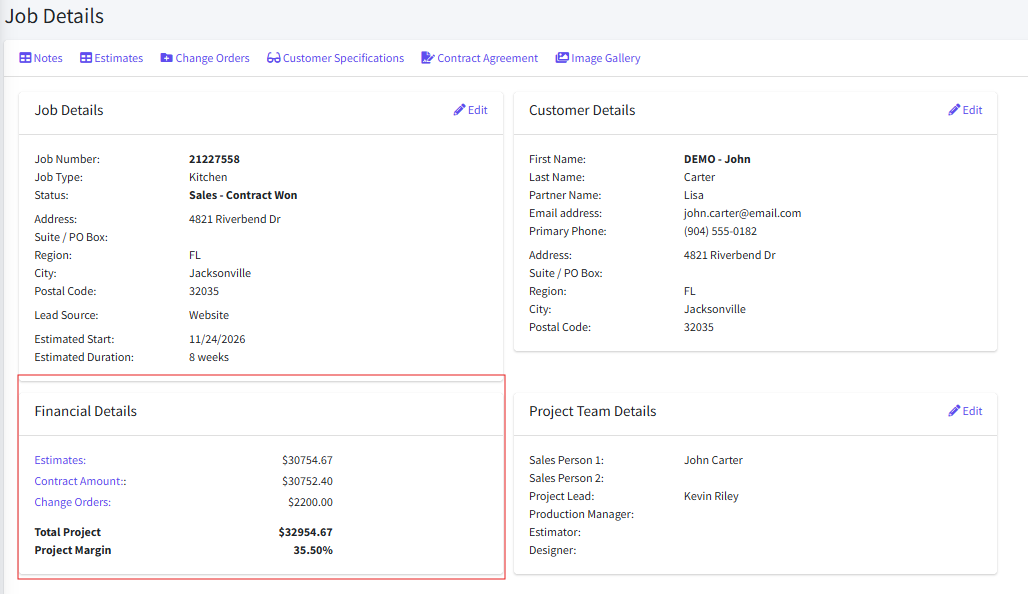
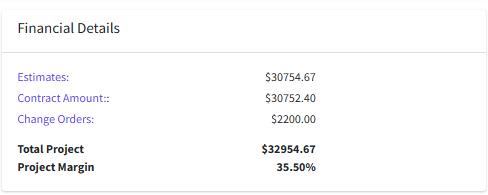
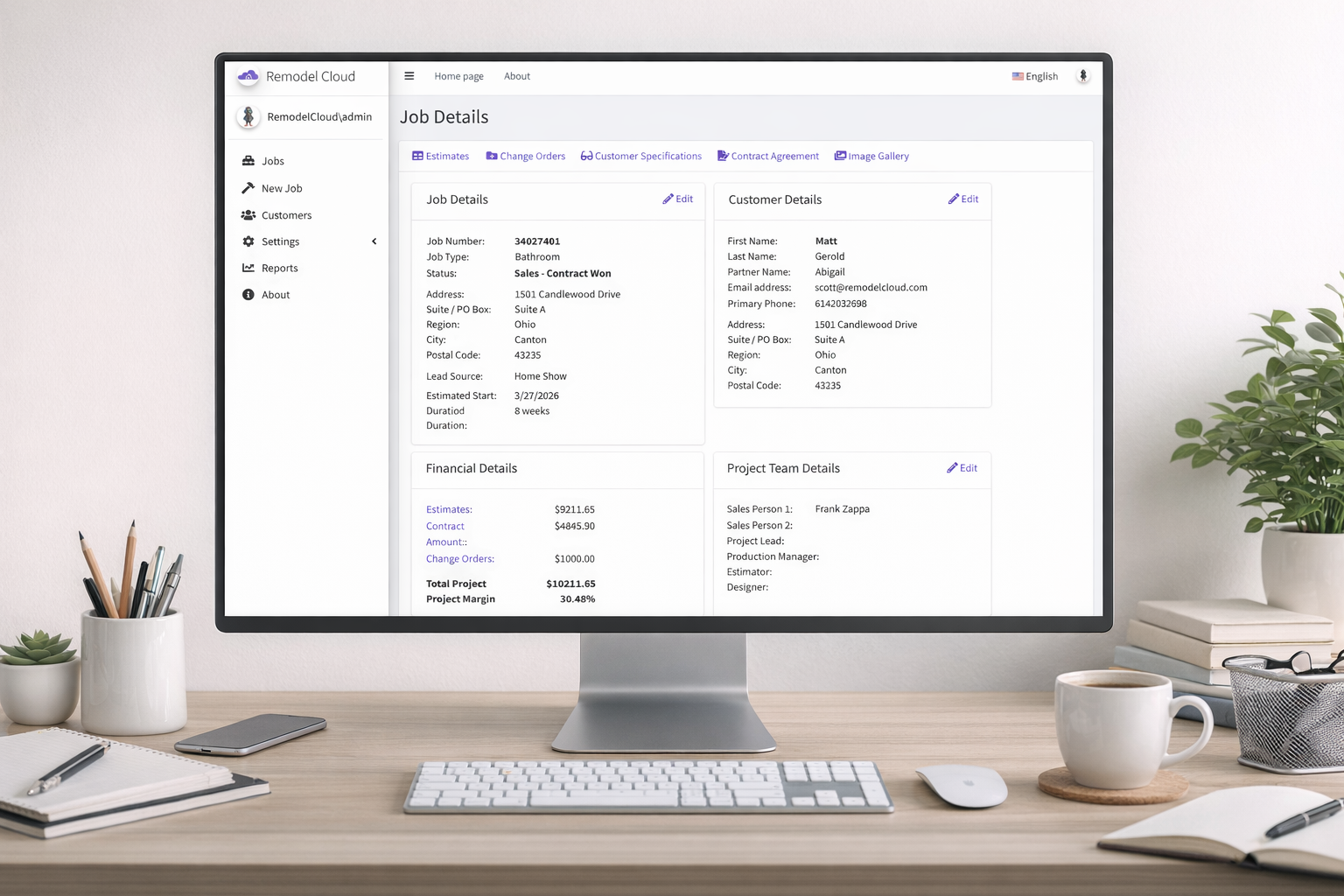
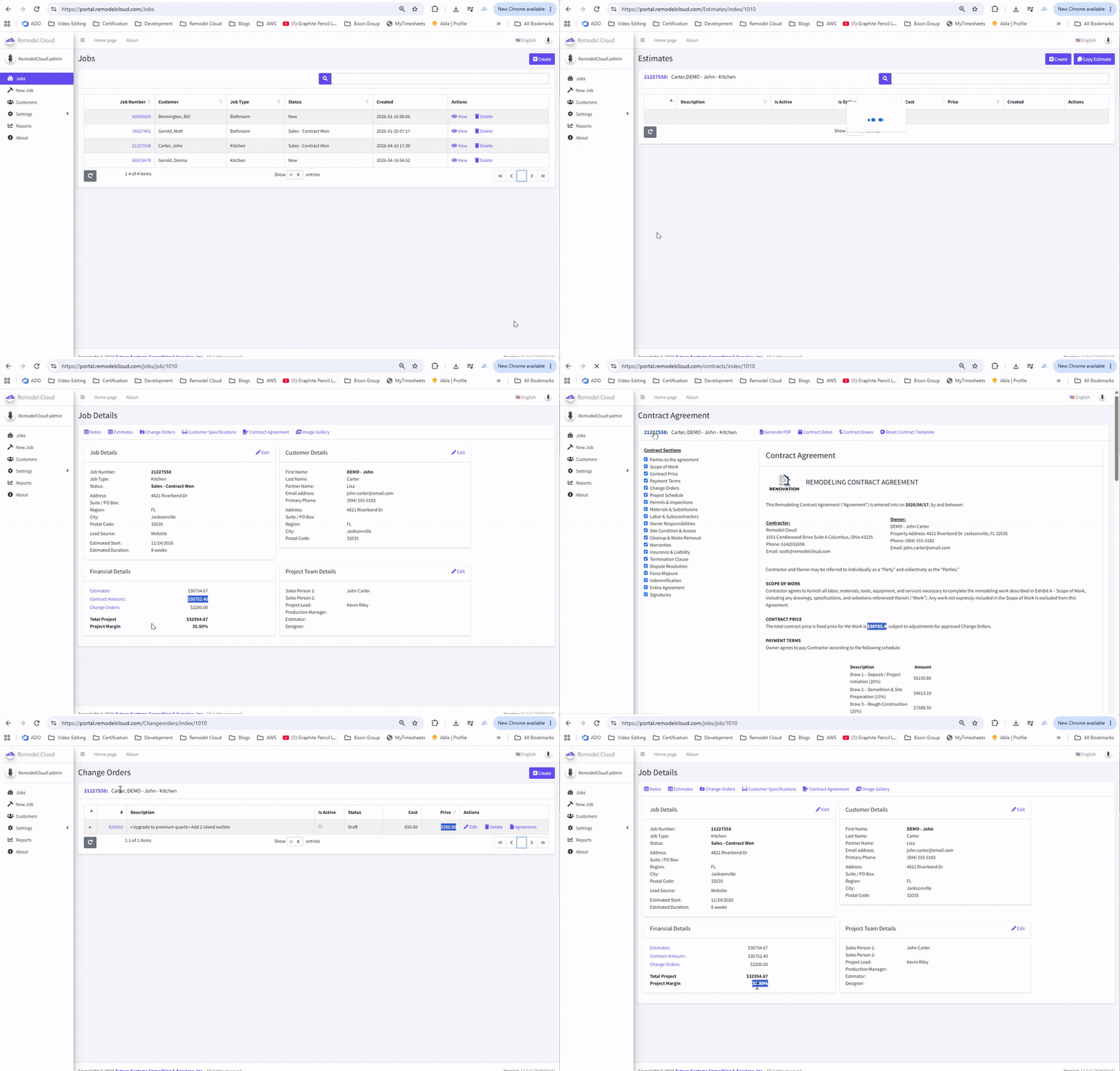
Stop wondering where your projects stand financially. Remodel Cloud connects estimates, contracts, change orders, invoices, payments, and project financials so you can see the financial health of every job in one place.

Request Demo
click to enlarge

From Estimate to Final Payment. Stay in Control of Every Dollar

Complete Job Financial Visibility

See the financial picture of every remodeling project without jumping between spreadsheets, accounting reports, emails, and disconnected applications.

  • ✔
    See the Entire Financial Picture View estimated amounts, contract values, approved change orders, invoices, payments, and other important financial information from one centralized job.
  • ✔
    Know Where Every Job Stands Quickly understand the financial status of a project without manually gathering information from multiple systems.
  • ✔
    Keep Financials Connected to the Job Financial information stays tied to the customer and project, giving your team the context behind the numbers.
  • ✔
    Reduce Spreadsheet Dependency Replace manually maintained project-financial spreadsheets with information that flows through your Remodel Cloud workflow.
  • ✔
    Make Better Decisions Faster Give owners and project managers the information they need to identify issues and take action before small problems become expensive ones.
click to enlarge

click to enlarge

Protect Your Margins

Winning the project is only the beginning. Remodel Cloud helps you maintain visibility into the financial decisions that determine whether the job actually produces the profit you expected.

  • ✔
    Start With a Profitable Estimate Build estimates using consistent costs, margins, and pricing so every project begins with a clear financial foundation.
  • ✔
    Track Changes That Affect Revenue Approved change orders become part of the project's financial picture so additional work doesn't disappear into texts, emails, or verbal conversations.
  • ✔
    Identify Profit Pressure Earlier Stay aware of financial changes throughout the project instead of discovering problems after the work is complete.
  • ✔
    Reduce Revenue Leakage Connect scope changes, change orders, invoices, and payments so completed work is less likely to go unbilled.
  • ✔
    Keep Profitability Front and Center Make financial awareness part of everyday project management rather than something reviewed only after the job closes.

Your Job Financials. One Connected View.

From the original estimate to the final customer payment, Remodel Cloud helps you keep the financial side of every remodeling project organized, visible, and connected.

Stop chasing numbers. Start managing profit.

Request Demo

Frequently Asked Questions

`

Remodel Cloud brings important project financial information together, including estimates, contract values, change orders, invoices, payments, and overall job financial activity. This gives you a centralized view of how the financial side of a project develops from estimate through completion.

Profit protection begins with accurate estimating and continues throughout the project. Remodel Cloud connects estimates, contracts, change orders, invoices, and project financial information so you can maintain visibility as the job changes and identify issues before they become larger problems.

Yes. Remodel Cloud allows you to keep invoices and payment activity connected to the job, helping you understand what has been billed, what has been paid, and what remains outstanding.

Approved change orders become part of the project's financial picture. This helps ensure additional work and revenue are documented rather than being lost through verbal requests, texts, or informal agreements.

Remodel Cloud is focused on managing the operational and project financial workflow of your remodeling business. It gives your team visibility into the financial activity surrounding each job while keeping that information connected to estimates, contracts, change orders, invoices, and payments.
` window.setTimeout(hideSuccess, 5000); ;