Document Your Work. Protect Your Business.

Every day on a remodeling project tells part of the story. Remodel Cloud Daily Logs give your team one place to document job progress, work performed, site conditions, issues, delays, customer requests, and other important events throughout the life of the project.

Request Demo
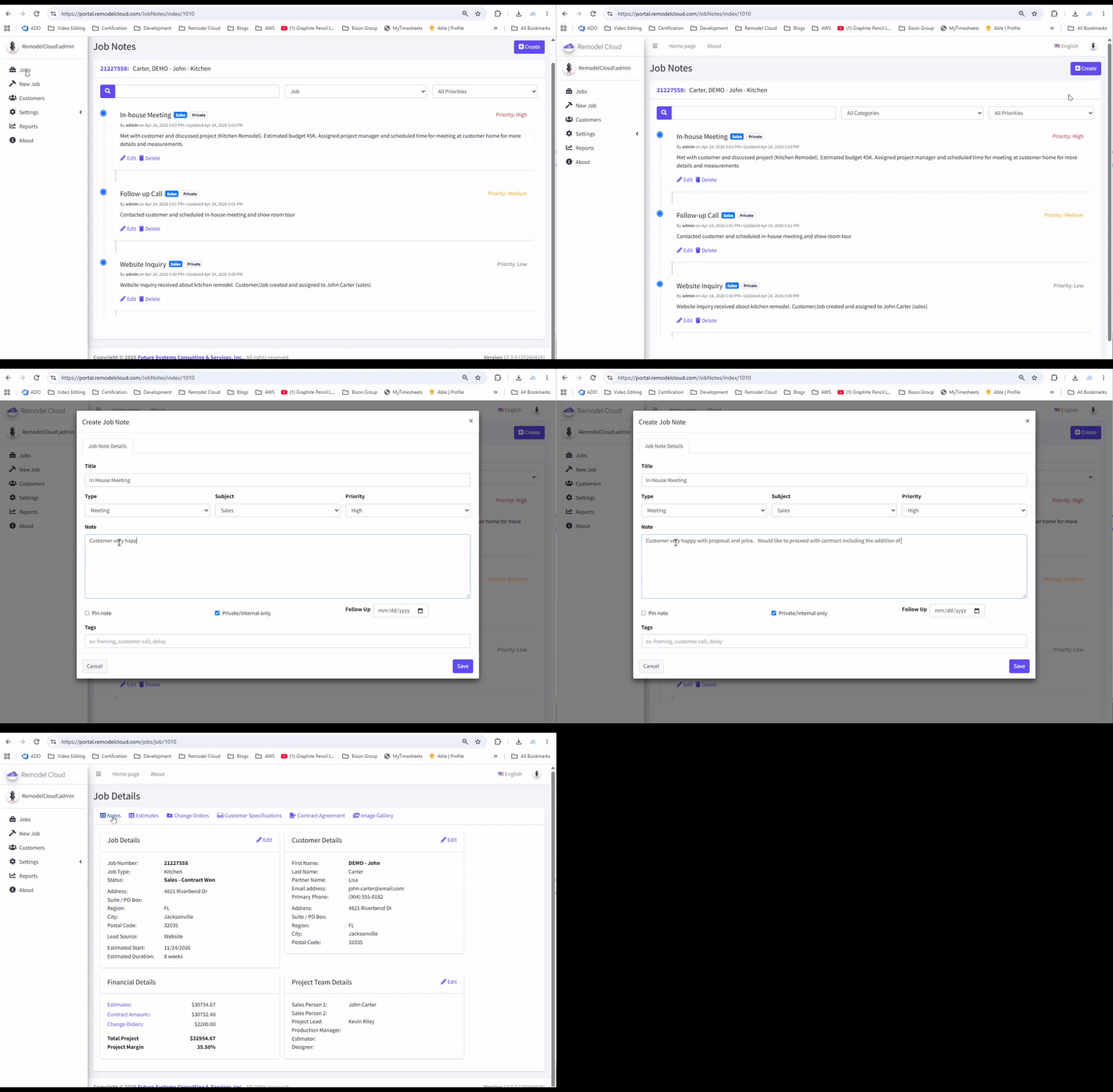
click to enlarge

Know What Happened on the Job.... Every Day

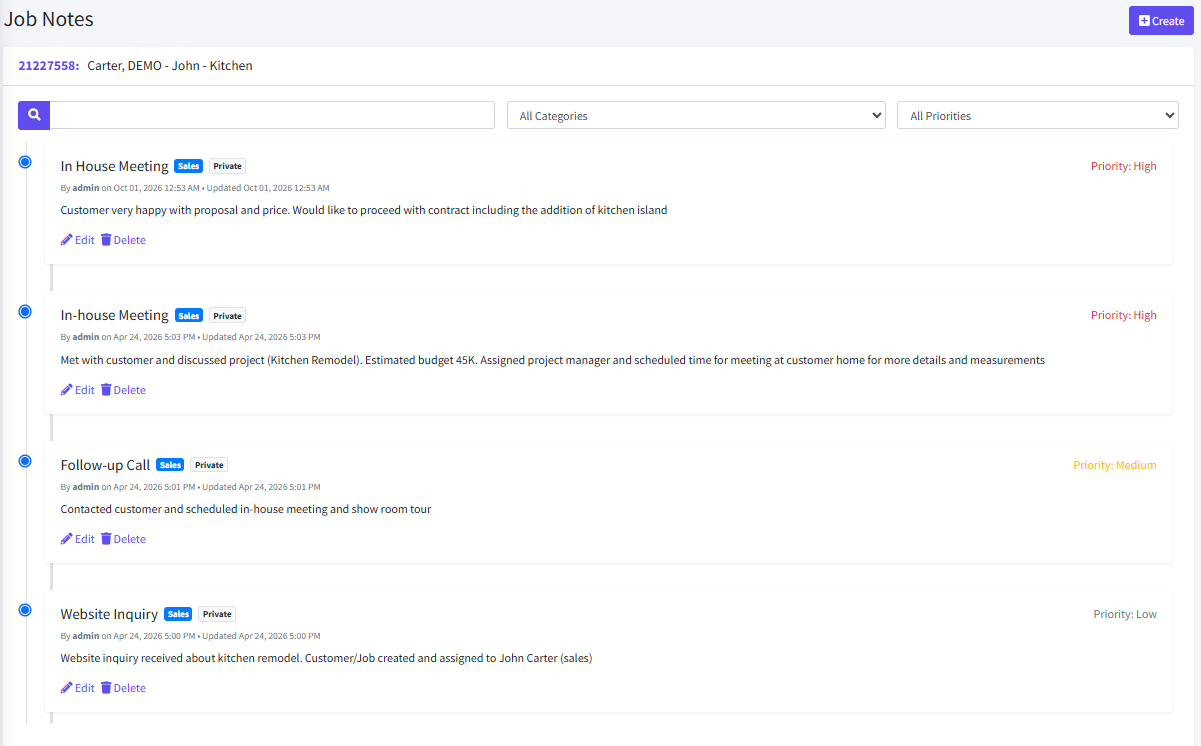
Document Daily Job Progress

Create a reliable daily record of what's happening on every remodeling project without relying on memory, text messages, handwritten notes, or scattered emails.

  • ✔
    Record Work Completed: Document the work performed each day and maintain an ongoing history of project progress.
  • ✔
    Capture Jobsite Activity: Record significant events, project developments, deliveries, subcontractor activity, and other information worth remembering.
  • ✔
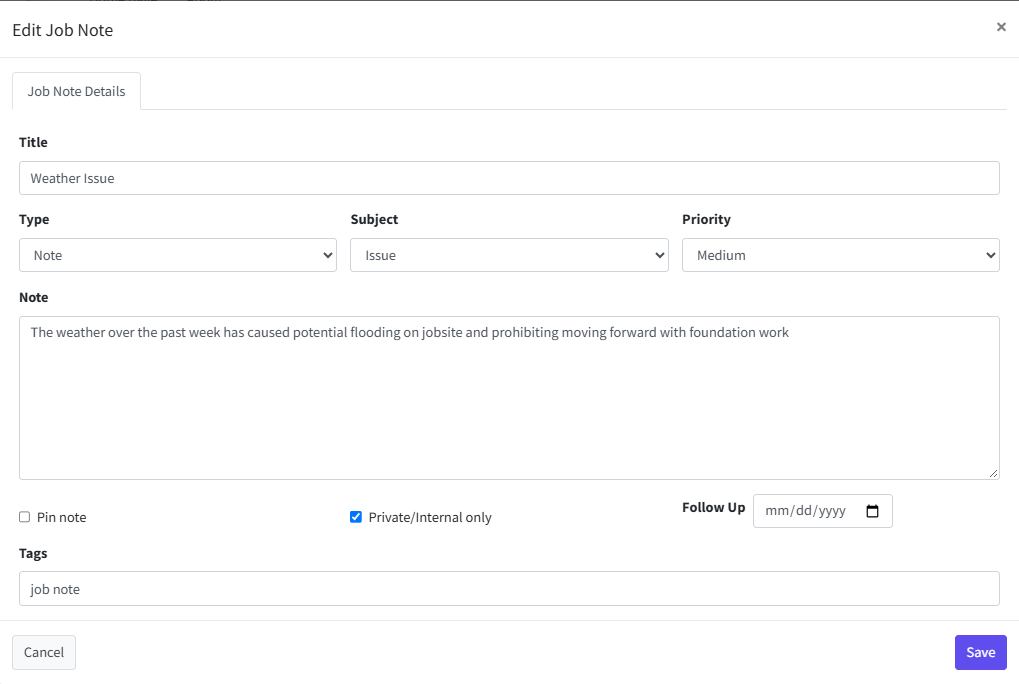
    Track Issues & Delays: Document problems, delays, unexpected conditions, and other circumstances that could affect the project.
  • ✔
    Keep Notes With The Job: Daily information remains associated with the project instead of being scattered across notebooks, phones, emails, and individual employees.
  • ✔
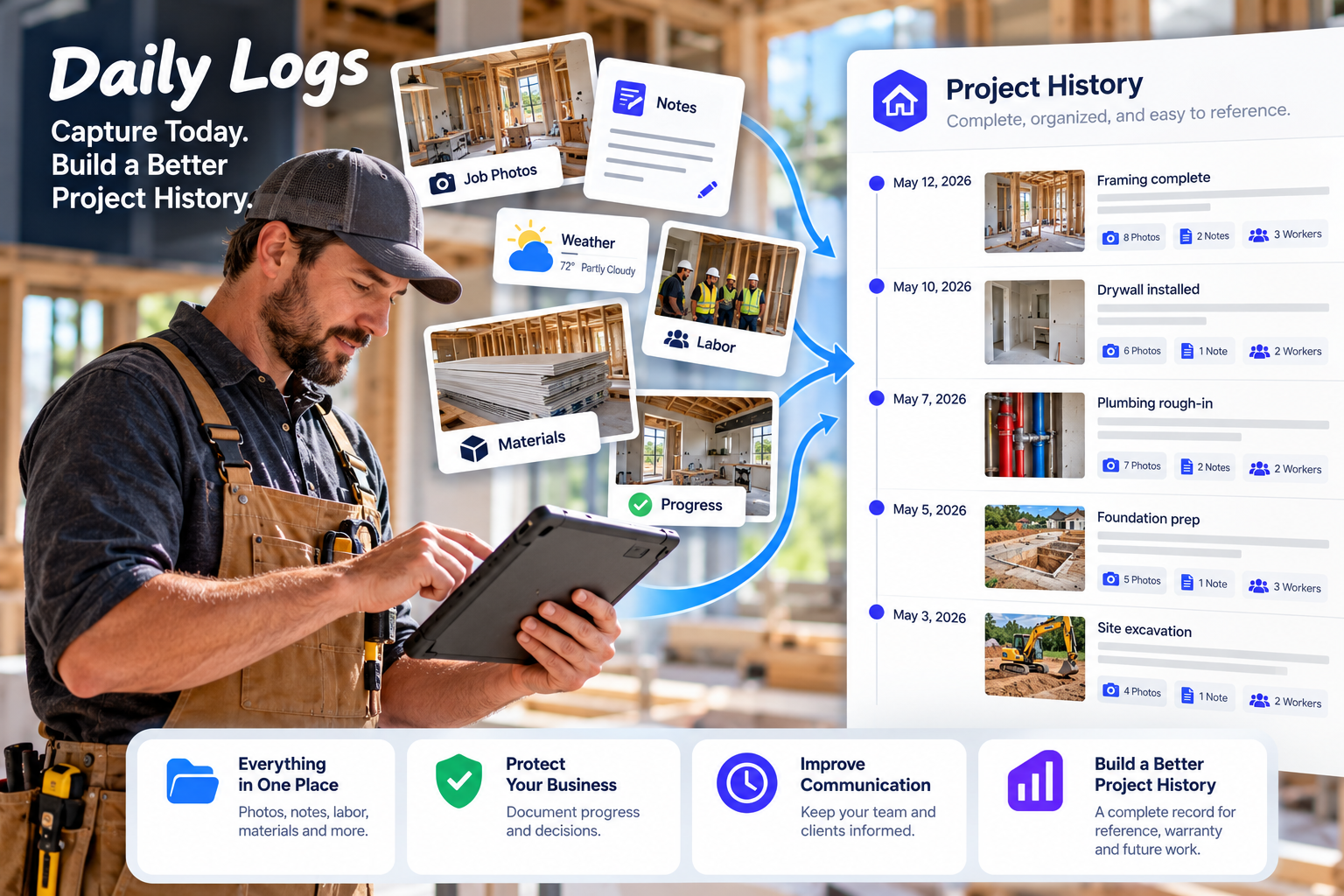
    Create Project Timeline: Build a chronological record that makes it easier to understand what happened throughout the life of the job.
click to enlarge
click to enlarge

Protect Your Remodeling Business

When questions arise weeks or months later, relying on someone's memory isn't enough. Daily Logs provide a documented history of project activity that can help establish what actually happened.

  • ✔
    Document Important Events: Create dated records of significant jobsite events, conversations, conditions, and decisions.
  • ✔
    Record Customer Requests: Capture customer requests and project discussions so important information doesn't disappear into informal conversations.
  • ✔
    Document Unexpected Conditions: Record existing conditions, discoveries, access problems, delays, and other circumstances that may affect scope, schedule, or cost.
  • ✔
    Reduce "He Said, She Said" Situations: A consistent project history provides better documentation when questions or disagreements arise.
  • ✔
    Maintain Better Project Records: Keep a permanent operational history of the job that can be referenced during construction and after completion.

Keep Your Team Informed

Project information shouldn't live only in one person's notebook, phone, or memory. Remodel Cloud keeps daily job information connected to the project so your team has a central place to understand what's happening.

  • ✔
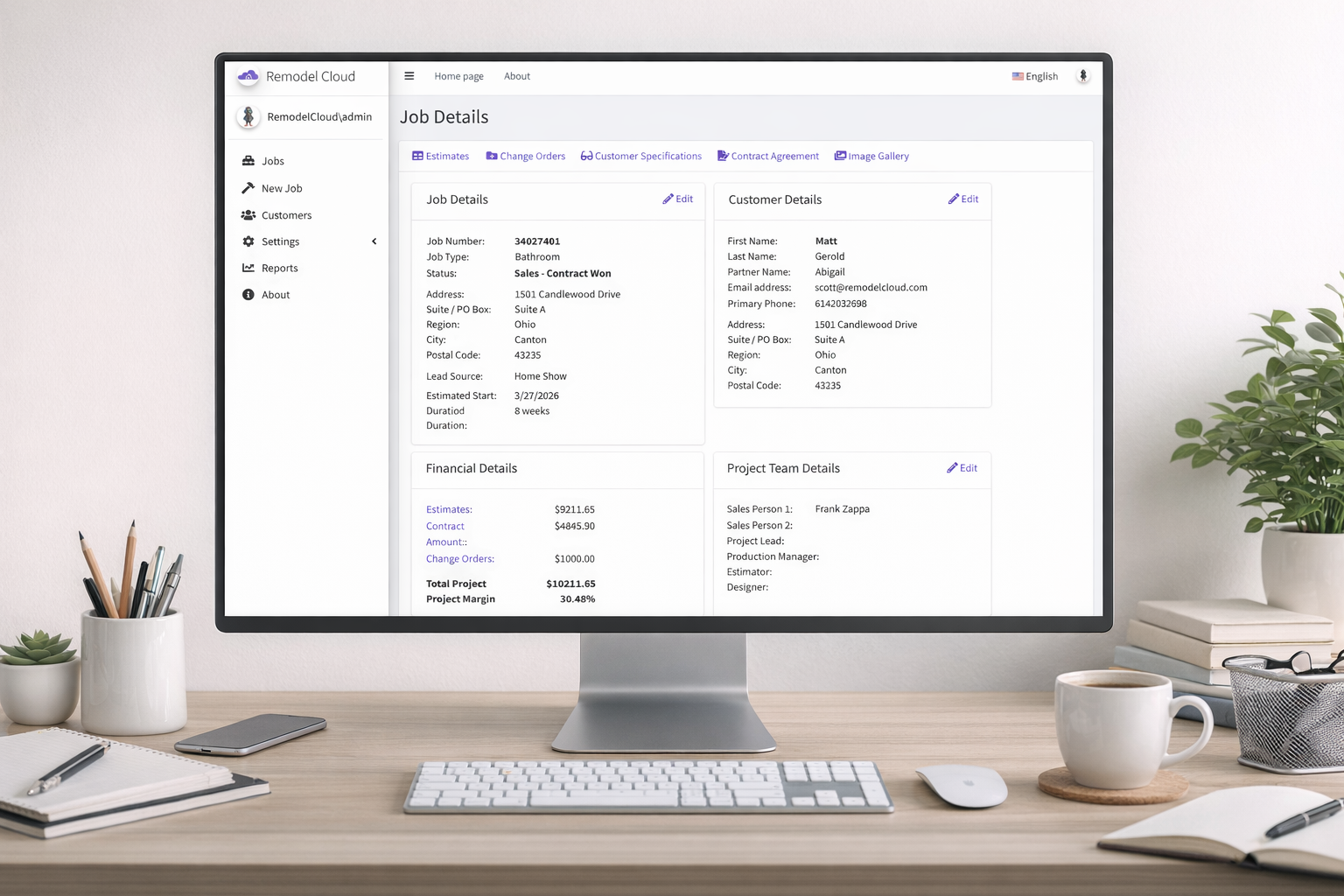
    Centralize Jobsite Information: Keep important daily information associated with the customer and project.
  • ✔
    Improve Team Communication: Give project managers, office staff, and other authorized team members better visibility into job activity.
  • ✔
    Create Better Hand-Offs:s Help team members understand recent activity, outstanding issues, and project developments without starting from scratch.
  • ✔
    Reduce Information Gaps:s Capture important details before they're forgotten or lost in texts, phone calls, and hallway conversations.Different crews can easily see what previous work was completed, site conditions before they arrive, and where to pick up work. Reducing delays and rework.
  • ✔
    Keep the Office Connected to the Field: Give the office a clearer picture of what's happening on active remodeling projects.Every image becomes part of the job record. Teams can reference past work with no need to rely on memory.
click to enlarge

Build a Better Project History

A remodeling project can last weeks or months. Remodel Cloud Daily Logs create an organized history that stays connected to the job from start to finish.

  • ✔
    Maintain a Chronological Record: Review daily activity in sequence to understand how the project progressed.
  • ✔
    Capture Project Details While They're Fresh: Record information when it happens instead of trying to reconstruct events days or weeks later.
  • ✔
    Support Future Questions: Quickly reference previous job activity when customers, project managers, subcontractors, or office staff need answers.Because images are already tied to jobs your portfolio builds itself as you work.
  • ✔
    Improve Accountability: Create greater clarity around work performed, project activity, issues, and decisions.
  • ✔
    Keep Documentation With the Project: Daily Logs become part of the project's overall history alongside estimates, contracts, change orders, financial information, and other job documentation.

Every Job Has a Story. Make Sure It's Documented.

From daily progress and jobsite conditions to customer requests and unexpected issues, Remodel Cloud helps you create a reliable history of what happened throughout the project.

Better documentation. Better communication. Better protection.

Request Demo

Frequently Asked Questions

`

A Daily Log is a project record used to document important activity and information from a particular day on the job. It helps create an ongoing history of project progress, issues, events, and other details that may need to be referenced later.

Daily Logs can be used to document work completed, project progress, jobsite activity, customer requests, delays, unexpected conditions, deliveries, subcontractor activity, issues, decisions, and other information important to the project.

Remodeling projects involve many conversations, decisions, changes, trades, and unexpected conditions. Daily Logs create a documented history so your company doesn't have to depend solely on memory, texts, emails, or handwritten notes when questions arise.

Good documentation can provide valuable context when there are questions about project events, customer requests, delays, site conditions, or work performed. Daily Logs help your company maintain a more complete record of what occurred during the project.

Yes. Keeping daily project information in Remodel Cloud gives authorized team members a centralized location to review project activity instead of relying entirely on phone calls, text messages, or individual notes.
` window.setTimeout(hideSuccess, 5000); ;